Crafting Tactile Motion, M3 Expressive Shapes, and High-Speed Media Showcases
How expressive shape tokens, spring-physics cubic-bezier curves, and lazy-loaded media containers create interfaces that feel alive without sacrificing load speed.
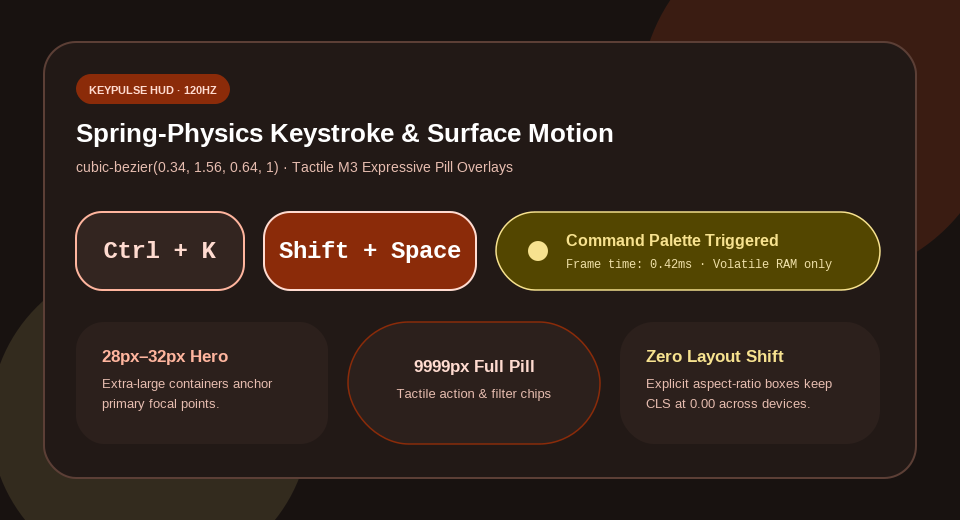
Great software communicates through shape and motion before a user even reads a label. A pill-shaped filter chip signals interactivity; a 32px hero container groups related workflows; and a spring-physics transition confirms an action with physical warmth.
When building KeyPulse and refining our cross-device design language, we focused on combining Material 3 Expressive (M3E) geometry with strict performance budgets.
1. Expressive Shape Hierarchy
Rather than applying the same 8px border radius to every box on screen, M3 Expressive uses deliberate shape contrast to guide visual hierarchy:
| Element Role | Corner Token | Radius / Geometry | Visual Purpose |
|---|---|---|---|
| Hero Stage & Media | --md-sys-shape-corner-hero |
28px – 32px |
Anchors primary canvas & screen recordings |
| Asymmetric Callout | Squircle Accent | 36px 18px 36px 18px |
Highlights diagrams & technical architecture |
| Interactive Controls | --md-sys-shape-corner-full |
9999px (Full Pill) |
Buttons, filter chips, and navigation bars |
2. Spring Physics Without Heavy Runtime Overhead
You do not need a bulky JavaScript physics loop to make buttons, cards, and device frames feel responsive. Pairing an overshoot spring curve (cubic-bezier(0.34, 1.56, 0.64, 1)) for spatial transforms with an emphasized deceleration curve (cubic-bezier(0.2, 0, 0, 1)) for surface colors gives instant tactile feedback on the GPU compositor thread.
final class MotionTokens {
  static const String springCurve = 'cubic-bezier(0.34, 1.56, 0.64, 1)';
  static const String emphasizedCurve = 'cubic-bezier(0.2, 0, 0, 1)';
  static const int shortDurationMs = 200;
  static const int mediumDurationMs = 360;
}
3. Embedding Screen Recordings & Images Without Slowing Page Load
Technical articles come alive when readers can watch real screen recordings, GIFs, and architecture diagrams right inline—but unoptimized media is the #1 cause of bloated pages.
To keep every page loading instantaneously across desktop and mobile connections:
- Lazy Decoding by Default: Inline article images use native
loading="lazy"anddecoding="async"so below-the-fold visuals never block initial text paint. - Metadata-Preloaded Video Containers:
.mp4and.webmscreen recordings render withautoplay loop muted playsinline preload="metadata"inside rounded M3E device bezels. - Device-Matched Aspect Frames: Appending
#mobile,#desktop, or#squircleto any Markdown media URL automatically wraps the recording in a portrait phone bezel or widescreen workstation stage with zero Cumulative Layout Shift (CLS = 0).